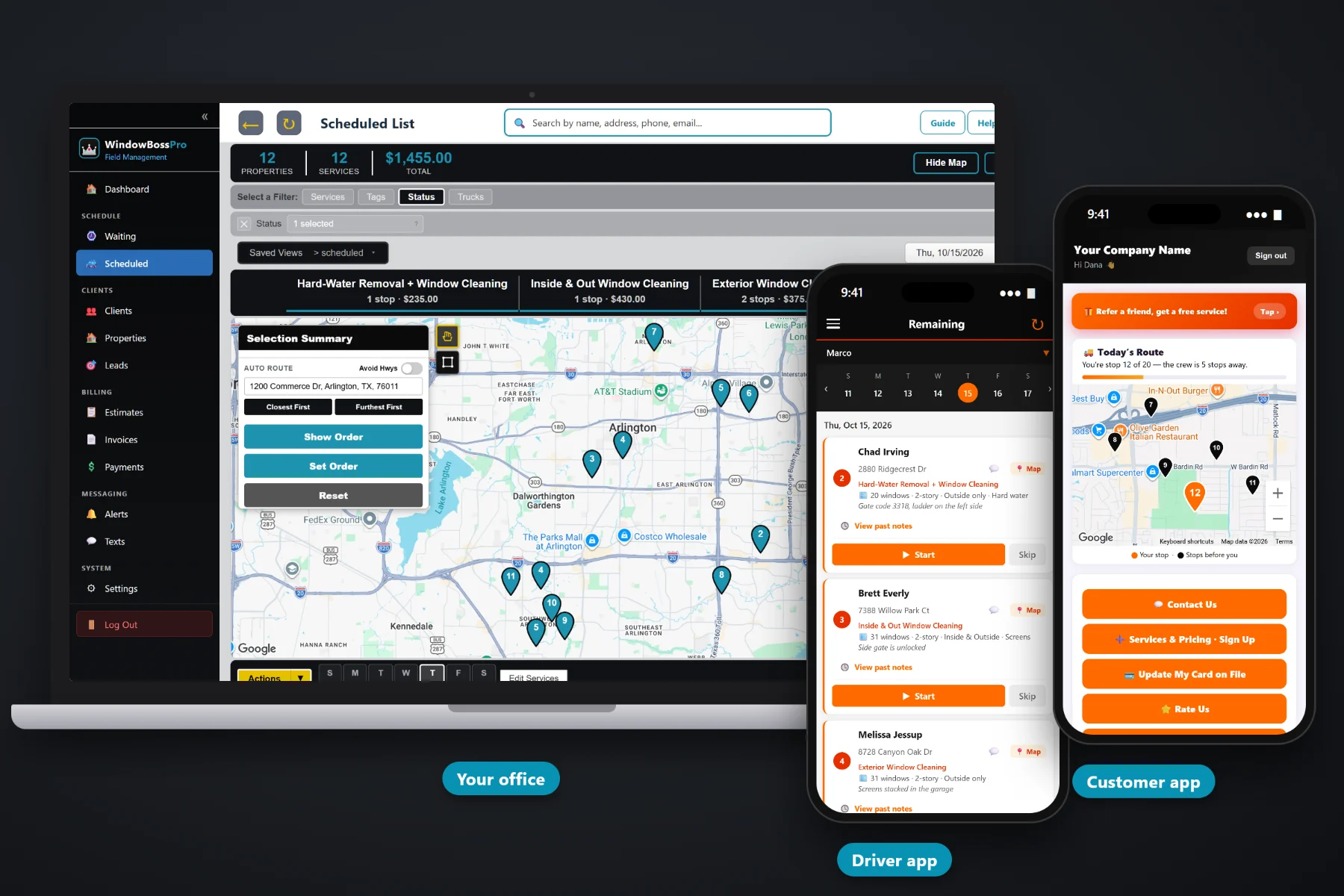
A window cleaning invoice is more than one number. It is a window count, a side, a story, screens, tracks, maybe hard-water removal, and a customer who wants to understand what they paid for. WindowBossPro builds invoices with clear line items and sales tax, keeps a card on file, charges it when the tech taps Complete or on a schedule, lets customers pay online from the customer app, follows up on past-due bills, and sends property managers one monthly statement for every location.
Plans start at $59/month and you are never billed per user. Invoices, card on file, auto-charge, online payment, past-due follow-up and monthly statements are part of the platform, not an add-on you discover later. To see how billing fits with recurring cleanings, the Waiting List, routes and the tech app, start at WindowBossPro and then dig into the money side here.
Windows, sides, screens, tracks, story add-ons and hard water on their own lines, so the customer sees what they bought.
Capture the card on the sign-up form or let the customer add it in the customer app. No more chasing checks.
The tech taps Complete, the invoice is created and the card on file can be charged before the ladders go back on the van.
Property managers and storefront owners set to Monthly get one statement covering every address, each line labeled.
Customers see their invoices, pay online and update their card without calling the office.
Open invoices get followed up by text and email instead of sitting in a pile on the desk.
The window details were recorded on the job when it was quoted: how many windows, which sides, how many stories, and which extras. WindowBossPro carries that through to the invoice, so the bill reads like the job instead of a mystery total. Fewer “what is this charge?” calls, fewer disputes, faster payment.
Most window cleaners did not start a business to sit at the kitchen table writing invoices on Sunday night. WindowBossPro creates the invoice when the job is done and can charge the card right then, so billing stops being a separate chore.
Per window, per screen, per track, story add-ons and hard-water removal, at your prices. Add your sales tax once.
Estimates come from that list. The sign-up form captures a card, and approved estimates become scheduled services.
The invoice is created from the job, and the card on file can be charged on completion or on a schedule you choose.
Customers pay online from the customer app. Past-due invoices get followed up, and monthly accounts get one statement.
Generic field-service software and spreadsheets treat every job as one line and one price. A window cleaning job has a count, sides, stories and extras, and a property manager might have nine addresses that all need to land on one bill.
Ask any window cleaning owner how billing really goes and you will hear the same story: a stack of jobs done last week that still need invoices, a homeowner asking why the bill was higher than last spring, and a property manager who wants one statement, not eleven separate emails. Then a check that never shows up and an awkward call in March.
The fix is to bill from the job itself. When the window count, the screens and the second-story add-on are already on the job, the invoice writes itself and the card on file pays it.
WindowBossPro keeps the estimate, the job, the invoice and the payment in one place, from the first quote to the money in the bank.
Every tool here exists to get you paid for every window, faster, with fewer phone calls and fewer unpaid invoices.
Each service on its own line, pulled from your service list, so customers see what they paid for.
Window count, sides, stories and extras recorded on the job show up on the bill.
Set your tax once and it is added to invoices automatically.
Captured on the sign-up form or added by the customer in the customer app.
Charge the card on file the moment the tech taps Complete.
Or charge on a schedule that fits how you bill each customer.
Customers see invoices and pay from the customer app on their phone.
A customer with a new card updates it themselves in the customer app.
Open invoices are followed up by text and email so nothing slips.
Property managers and businesses set to Monthly get one statement with every address labeled.
Bill monthly or every-two-weeks storefront cleanings per visit or on the monthly statement.
Answer billing questions by text from the office, with the conversation kept.
See what was billed, what was paid and what is still open.
Works in the US, Canada, Australia, New Zealand and the UK, billing in local currency.
Bring your clients and addresses over from spreadsheets so billing starts on day one.
Plans are Start $59, Pro $89 and Crew $199 per month, not a per-seat charge.
A property manager with eight buildings does not want eight invoices a month. Set the account to Monthly and WindowBossPro rolls every cleaning at every address into one statement, with each line labeled by address, so their accounting office can match it in minutes. Storefront owners with several shops get the same treatment. Residential customers keep getting an invoice per cleaning, charged to the card on file. For the full walkthrough, read Window Cleaning Billing Software: The Complete Guide to Invoicing and Getting Paid.
The slowest invoice is the one that waits for a customer to find a stamp. In the customer app, homeowners and storefront owners see their invoices, pay online, and update the card on file when theirs expires or gets declined. They also get the night-before, when-you're-next and arrived alerts they chose, so the bill never shows up for a cleaning they did not know about. Questions come back to the office through two-way texting.
Pick the plan that fits your operation. Every plan starts with a 14-day free trial and no credit card.
Compare plans on the pricing page.
Line items from your own service list: the window cleaning itself with the window count and sides, story add-ons, screens, tracks and hard-water removal, plus sales tax. The customer sees what they paid for instead of one unexplained total.
Yes. With a card on file, WindowBossPro can charge the card when the tech taps Complete, or on a schedule. The card can be captured on your sign-up form or added by the customer in the customer app.
The invoice stays open. The customer can update their card and pay from the customer app, and past-due invoices are followed up by text and email. The office can also text the customer directly.
Yes. Set the account to Monthly and they get one statement each month covering every location, with each line labeled with the address. Storefront owners with several shops work the same way.
Invoices include sales tax. WindowBossPro works in the US, Canada, Australia, New Zealand and the UK and bills customers in their own currency. Check with your accountant on what is taxable where you work.
Start is $59/month, Pro is $89/month, and Crew is $199/month. You are never billed per user, and every plan starts with a 14-day free trial with no credit card.
Billing is one piece of how WindowBossPro runs a window cleaning company. For recurring cleanings, the Waiting List, routes, quotes and the tech app, see the full WindowBossPro platform overview.
Practical reading on invoices and line items, card on file, charging at completion, deposits, declined cards, online payment, past-due follow-up, sales tax, monthly statements, storefront billing, winter cash flow and billing reports.
Clear line items, card on file, a charge when the tech taps Complete, online payment and one monthly statement for every property manager. Try WindowBossPro free for 14 days.